An idea you can’t leave alone.
Start with a moment, a character or a question. You can discover the story by talking it through.
Find your way inTalk about your story. Every Story turns the conversation into scenes, characters and a plan you can write.
Explore Every Story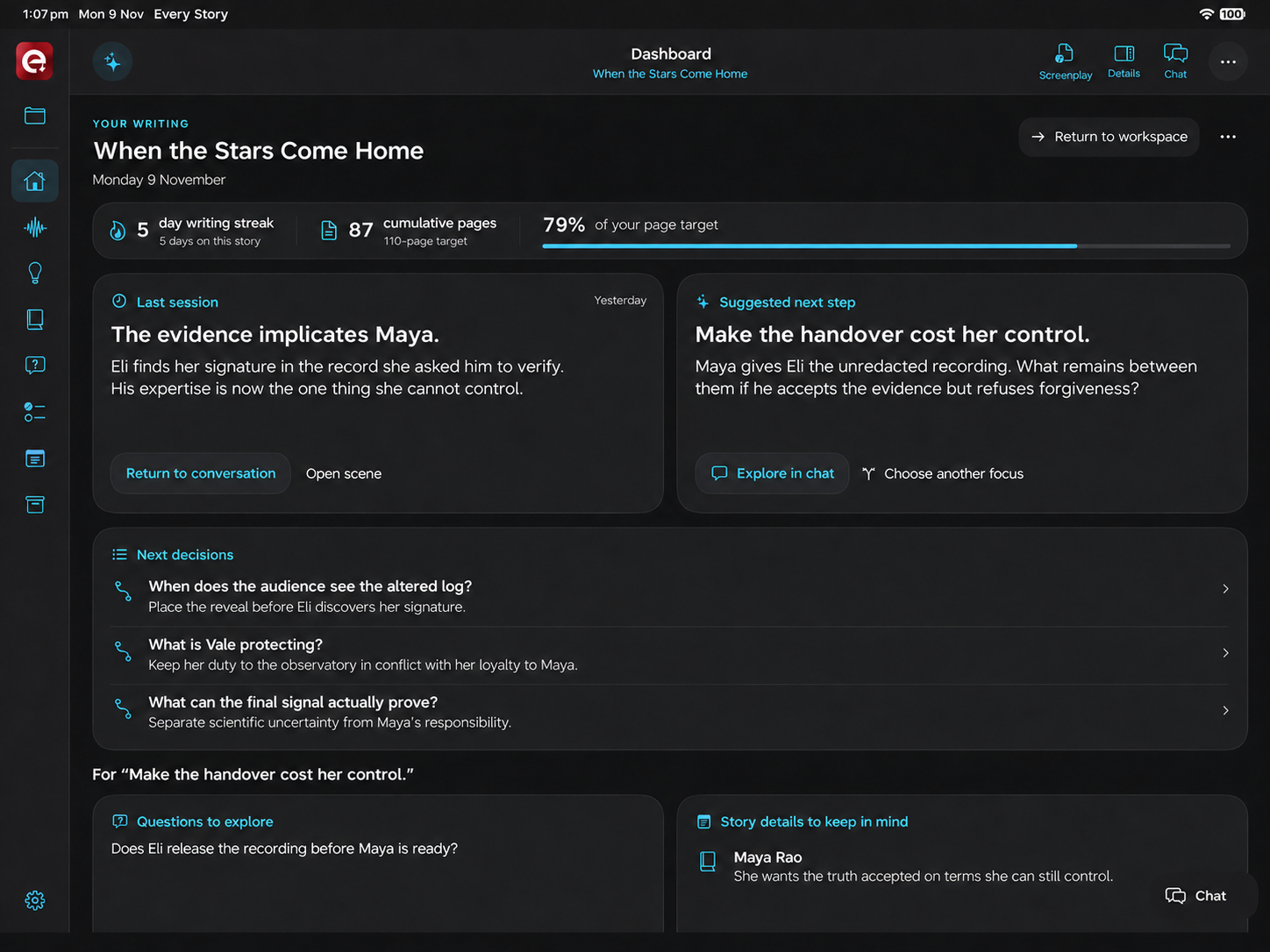
Your Dashboard brings back the last breakthrough, the next creative decision and your writing progress.
START WHERE YOU ARE
Start with a moment, a character or a question. You can discover the story by talking it through.
Find your way inBring an outline, or import an FDX or PDF screenplay. Work with the scenes and thinking you already have.
See the whole filmYour Dashboard keeps the last session, suggested next step, page targets and writing streak in view.
Keep the work moving01 FROM THOUGHT TO STORY
You know a moment belongs in the film. You’re less sure what comes before it—or why the character makes that choice. Start there.
Chat, voice & connected thinking
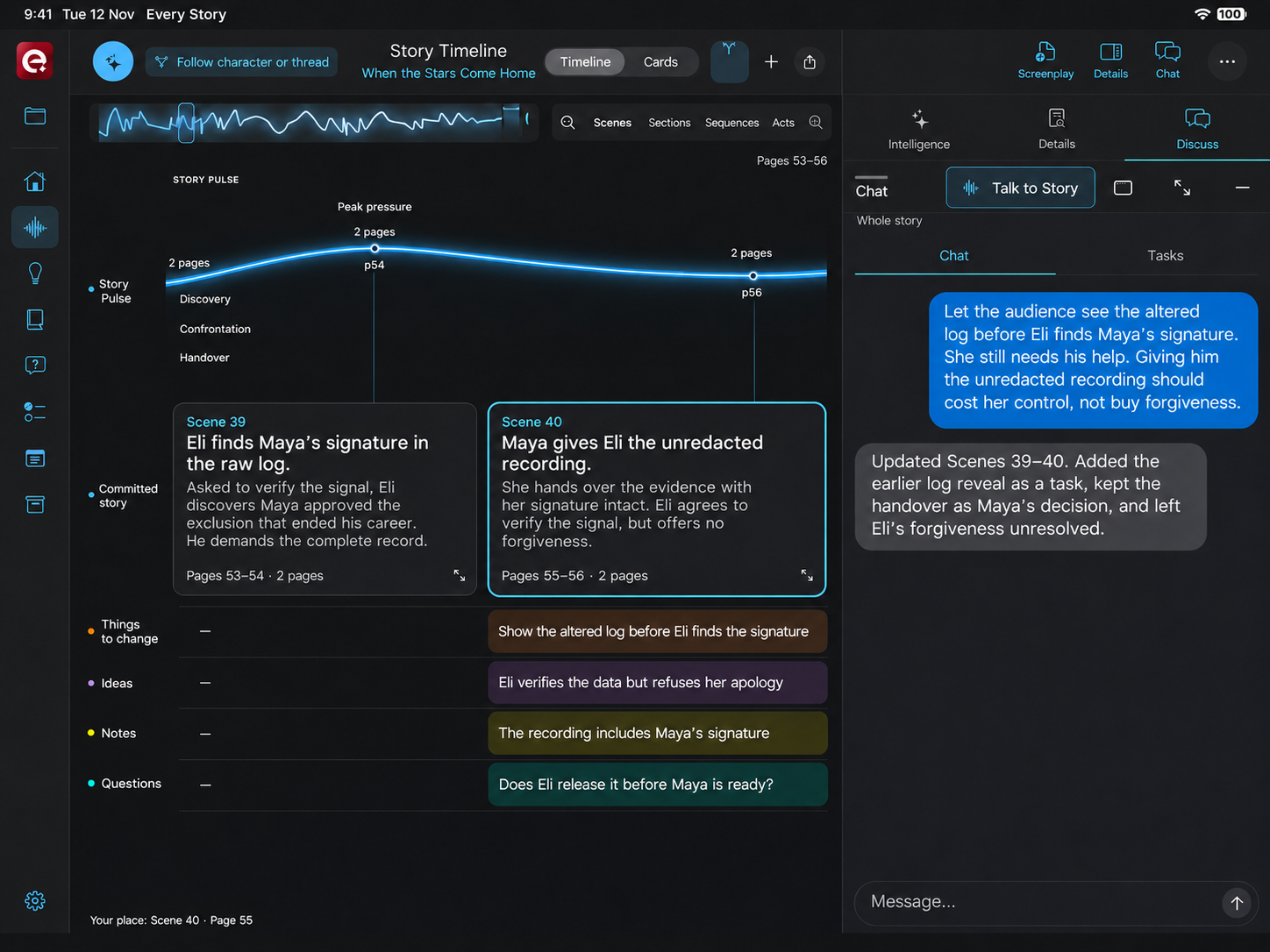
Talk or type about the film, a character or one scene. Every Story turns the conversation into scenes, keeps possibilities in Ideas, saves detail as Notes and places changes in Things to do. Questions stay open until you are ready to answer them.
Here, the writer changes who discovers the evidence first. Scenes 39–40, an earlier setup, the character’s decision and an unresolved relationship stay connected. Saved chats and briefs preserve the reasoning behind the revision.
02 THE SHAPE OF THE FILM
Once the moments exist, you can work on how they play together. Read the sequence, move a scene and follow the pressure through the story.
Scene Wall
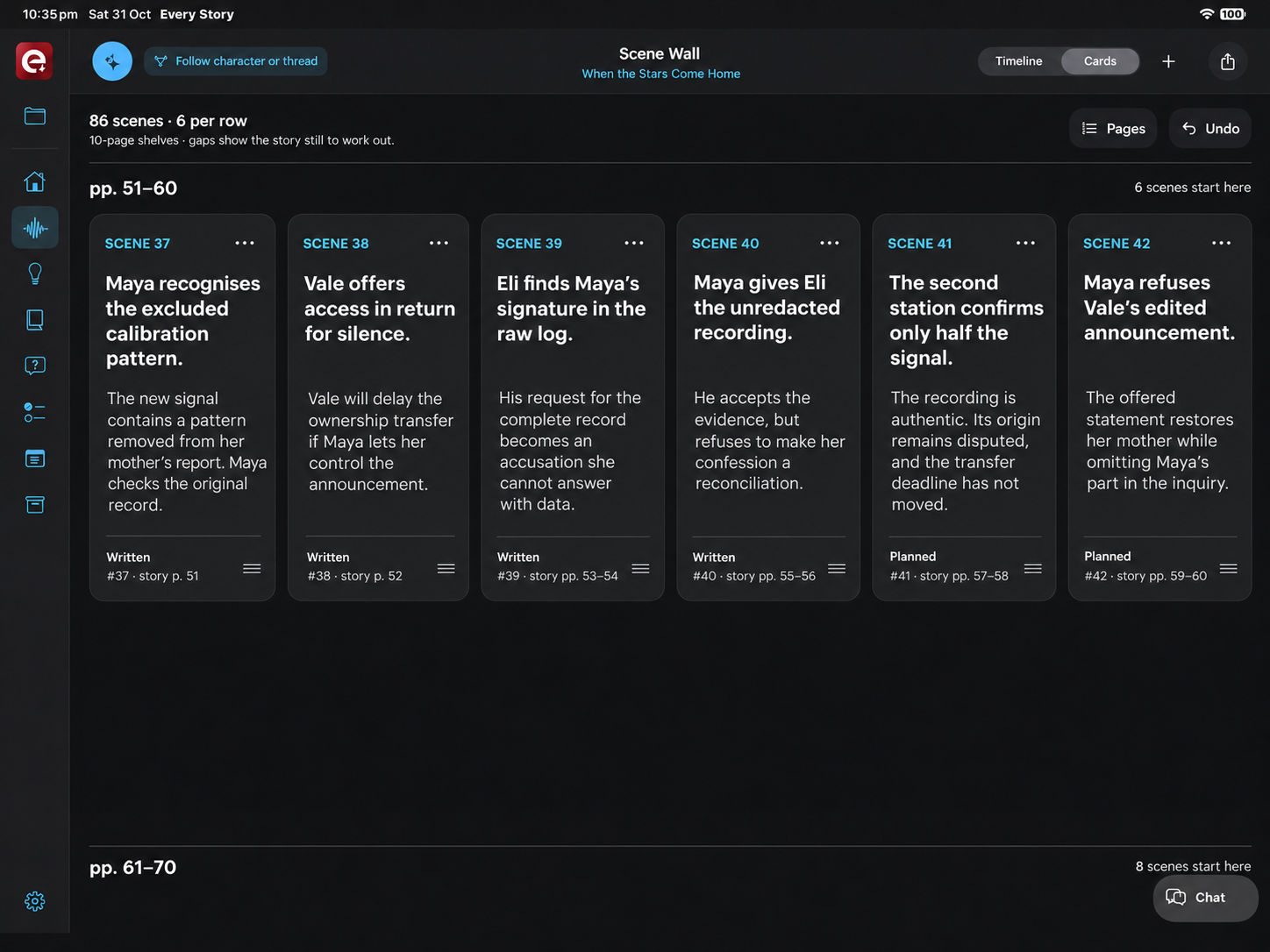
A wall of scene cards makes the sequence tangible. Read headings and summaries, move scenes and work through page shelves. Written and planned scenes remain distinct, so you can see the draft you have and the film you’re developing.
Story Timeline & Story Pulse
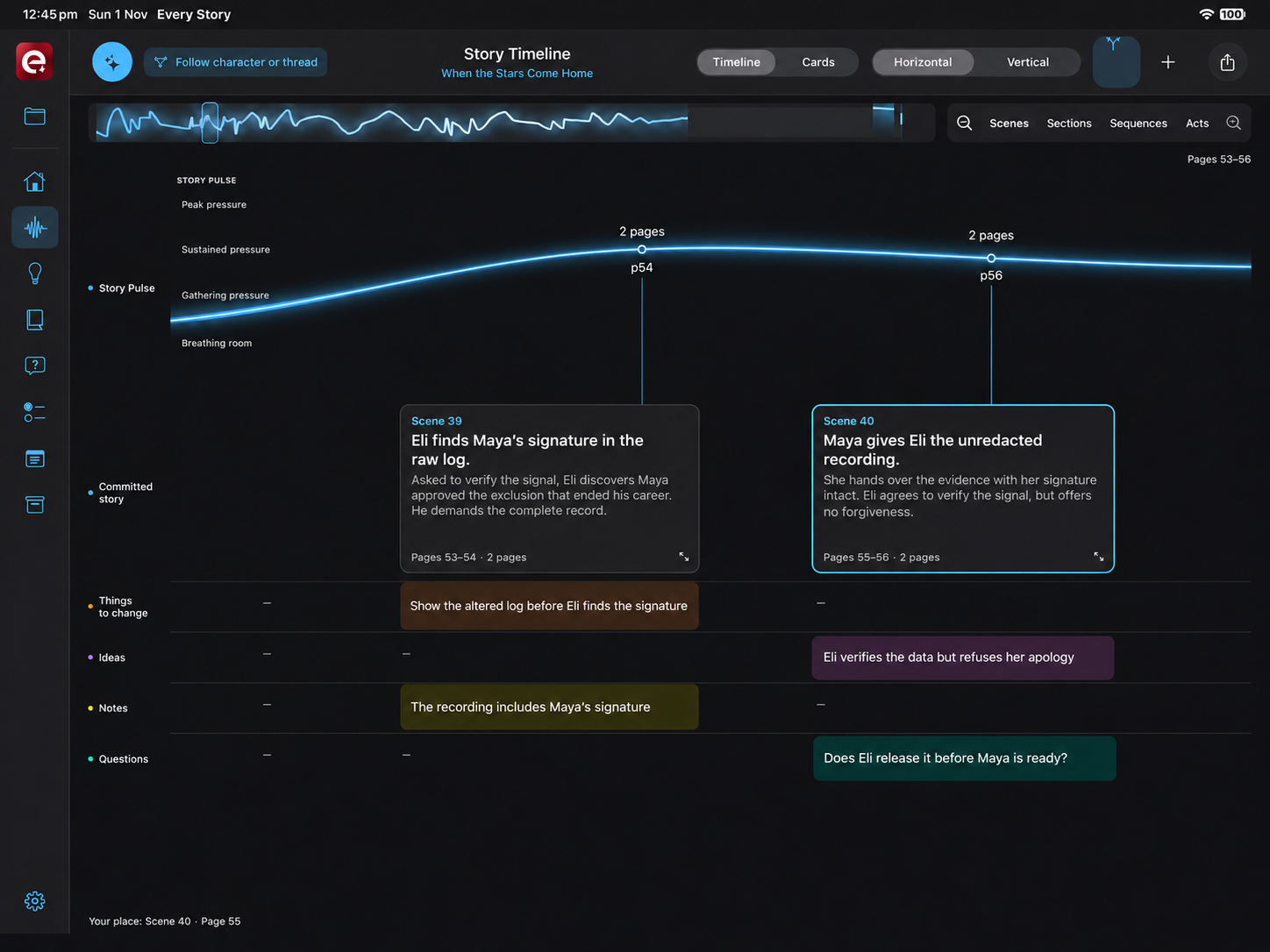
Follow the rise and release of dramatic pressure, then zoom into the scenes behind it. Focus on a character or story thread; adjust headings, summaries, page placement and act boundaries with the related ideas, notes and questions beside them.
03 CHARACTERS & THEIR WORLD
A scene becomes more compelling when you understand why this person could make this decision. Build that understanding as you develop the film.
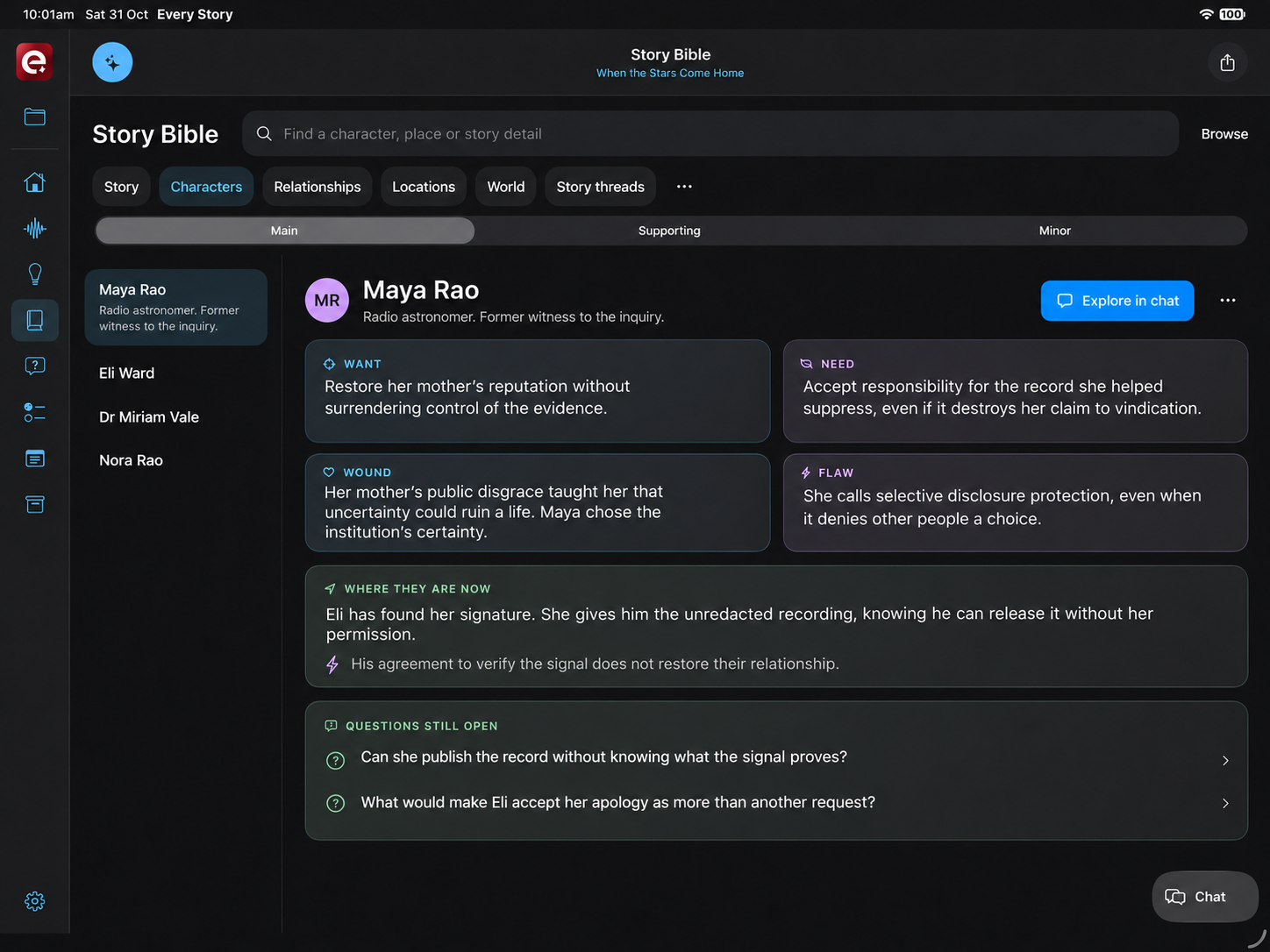
Story Bible
Explore a character’s Want, Need, Wound and Flaw, then connect their choices to relationships, locations, themes and story threads. The Story Bible brings the people and the world into one working reference.
Maya wants to restore her mother’s reputation, but her need to control the evidence conflicts with taking responsibility for what she concealed. Explore in chat lets the writer work through how that contradiction changes a scene.
04 ROOM TO EXPLORE
Discovering a film means changing your mind. Keep the material you might return to, then carry the developed story into the writing.
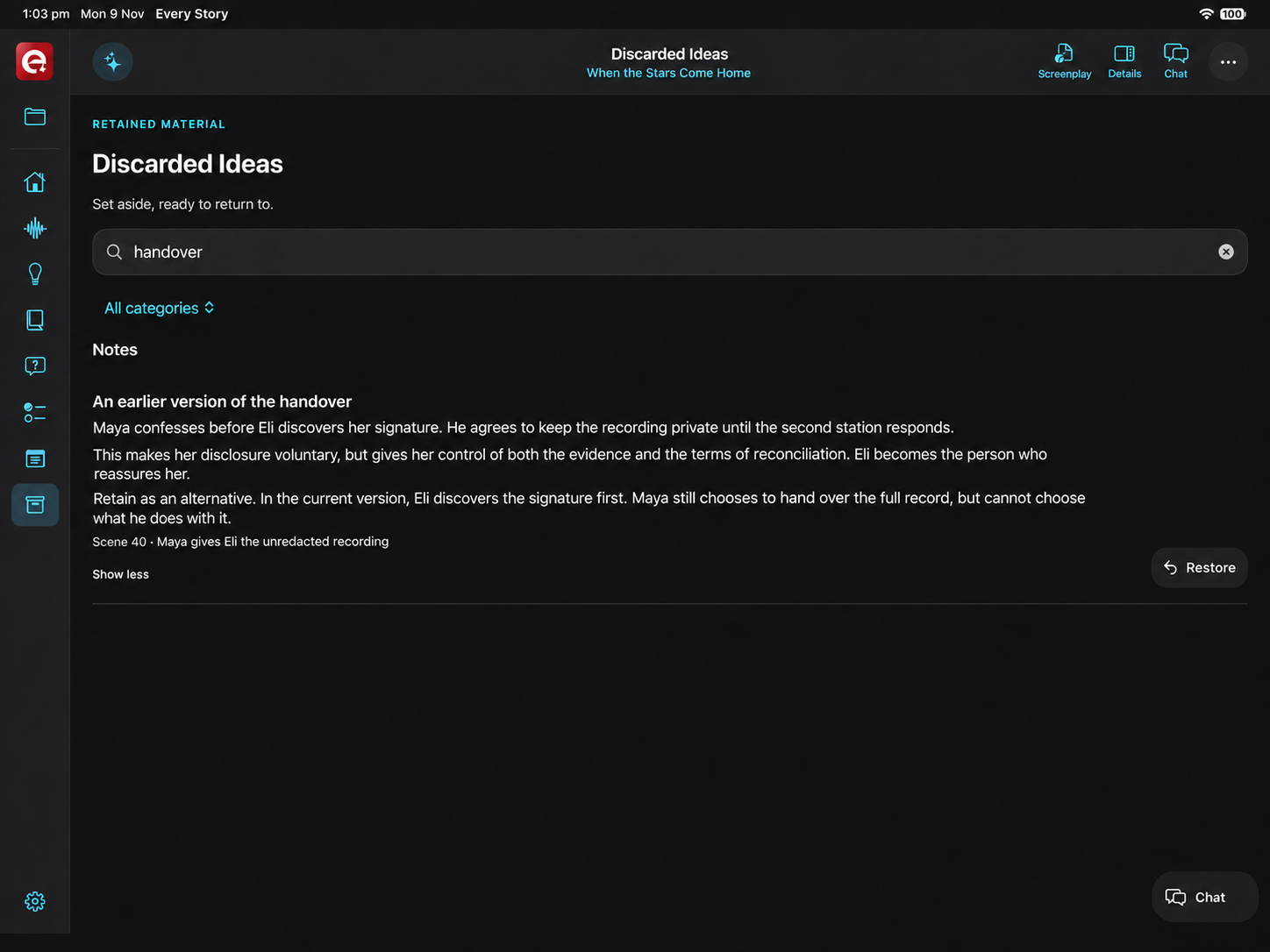
Discarded Ideas, drafts & restore
Discarded Ideas retains the original wording of material you set aside. Search it, read it and restore it when it finds its place. Drafts, restore and Undo/Redo keep earlier decisions within reach as the plan changes.
When you’re ready for pages, export an outline or the complete project, or bring your developed plan into Every Script. Scenes, characters and the thinking behind them give the screenplay a place to begin.
THE NEXT STEP
A developed story. Ready for the screenplay.
Explore Every Script